
My Speech App Is Freezing or Not Opening


If your QuickTalker Freestyle speech app is freezing or not opening, your app likely needs to be updated!
The update process depends on how your device is managed.
Step 1: Check the Management Status🔗
- Open your QuickTalker Freestyle Settings
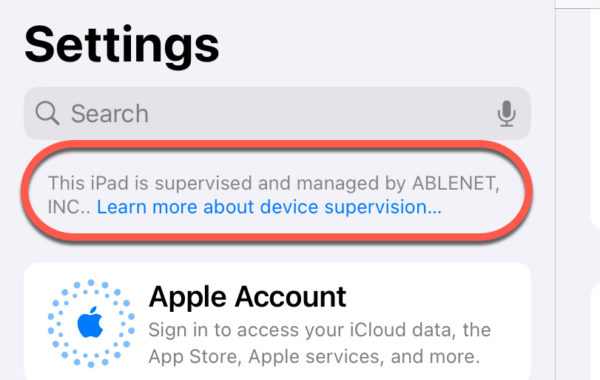
- Look at the top left above the account:
- If you see “This iPad is supervised and managed by AbleNet,” your device receives automatic updates.
- If you don’t see the supervision message, you’ll need to manually update the app.
Managed Devices🔗
If you see a supervision message, follow these steps to ensure the speech app updates automatically:
- Ensure that your device is connected to Wi-Fi and has unrestricted access.
- Turn off Guided Access
Once connected to Wi-Fi with Guided Access disabled, the update will push to your device automatically. If you’d like more information, check out How to Update Your Speech App Automatically
Non-Managed Devices🔗
If you don’t see the supervision message in Settings, you’ll need to manually update the app through the app store. For instructions, head over to How to Update Your Speech App in the App Store
Still Stuck? 🔗
The ableCARE Product Support Team is here to help!
