


Almost there! Meet your speech app.
You’re on the final step. Now let’s open the speech app that came already installed on your device. This is the app you’ll use to communicate, and the steps below show you exactly where to find it.
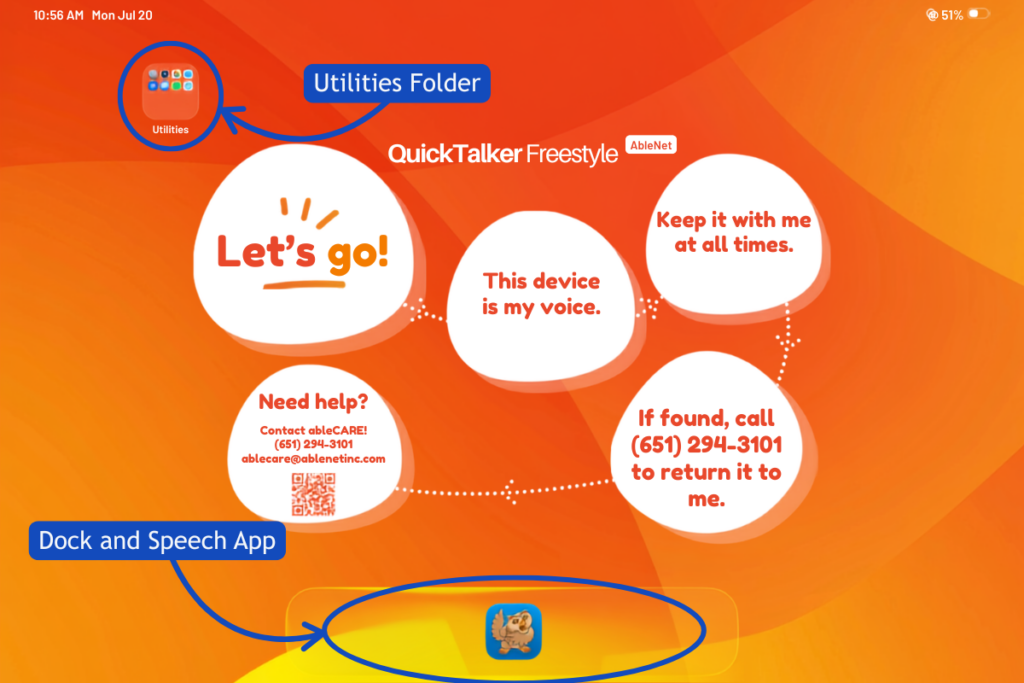
- Look at the Dock along the bottom of your screen. Your speech app lives in the middle of the Dock, so it’s easy to find every time.
- Tap the app once to open it. This is the app used for communicating, and it’s ready to go right where it sits.
There are many different speech apps, and each one has its own unique setup steps, features, and tips. To learn more about your specific app, including setup, common questions, and support, take a look at our speech app guides. If you’re a family opening this device for the first time, you don’t have to do it alone. Your SLP can help you set up and get comfortable with the speech app.
Need some help?
Setting up a new AAC device can feel a little overwhelming. If something isn’t working or you’re not sure what to do next, our ableCARE team is here to help.