


A tour of your new QuickTalker Freestyle:
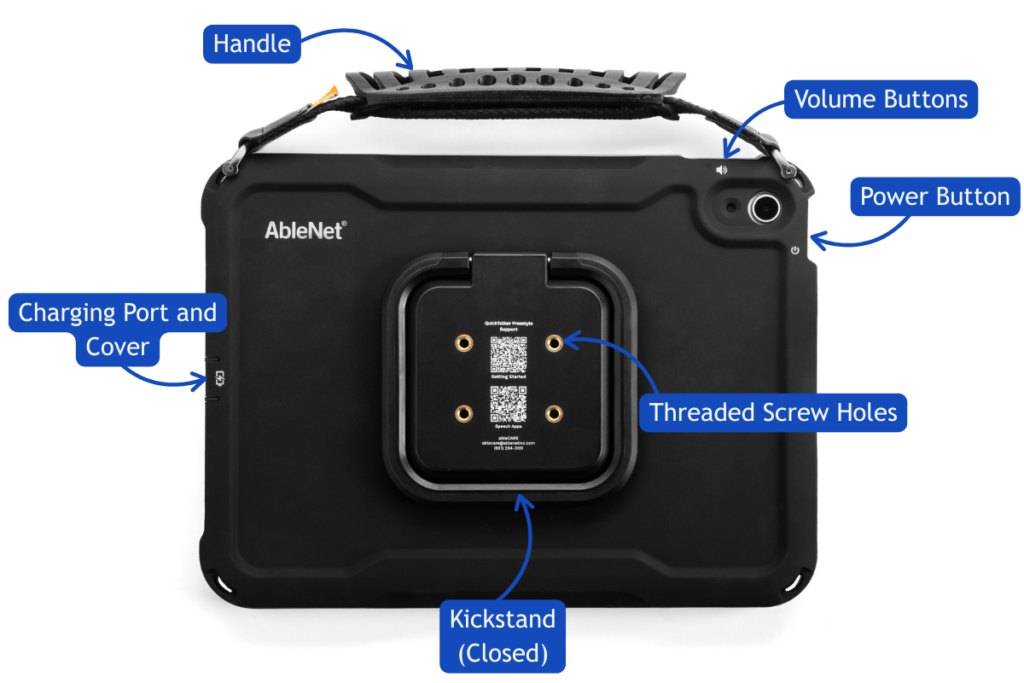
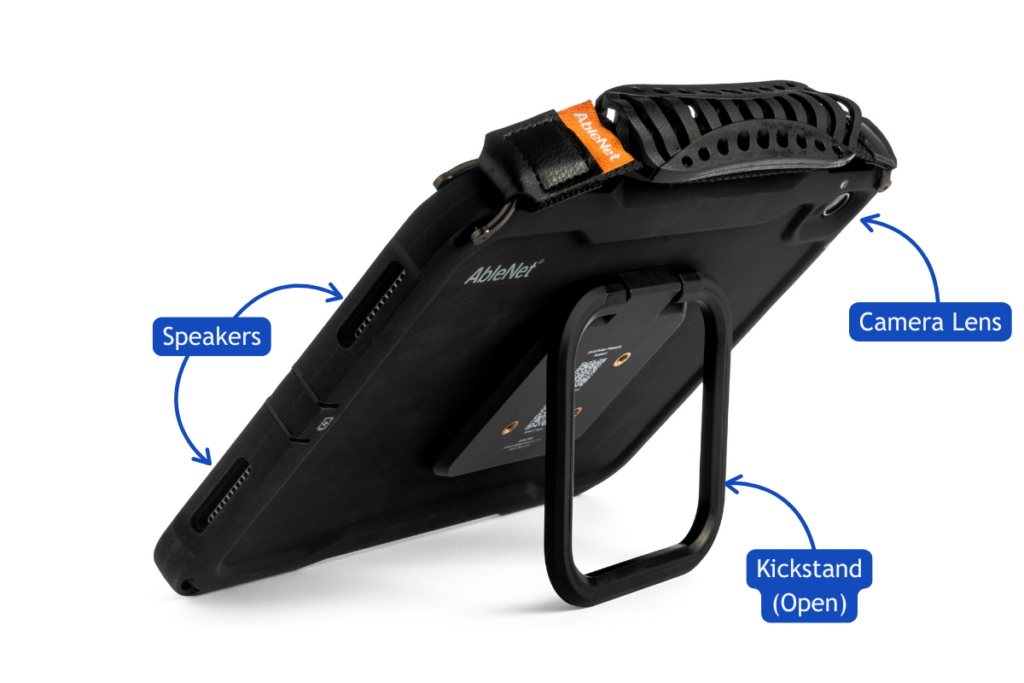
Let’s take a quick tour of your new device before you turn it on. The list below walks through each button, port, and part, and the diagram shows you where to find them. There’s nothing to memorize, so feel free to come back to this page any time.
- Handle
- Volume Buttons
- Power Button
- Threaded Screw Holes
- Kickstand
- Charging Port and Cover
- Speakers
- Camera Lens
Accidents happen. We’ve got you covered.
Your QuickTalker Freestyle comes with a five-year warranty through AbleNet, which covers damaged devices including the case and screen. In the unlikely event that your screen breaks, do not attempt to remove the device from its case. We will send a return label to you to ship the broken device back to us and will ship a totally new replacement device, including case, Next Day Air once the damaged device is on its way back to us. Learn more about ableCARE and your warranty by clicking here.
Whether the damage happened at home, at school, or on the go, we’ll help you get a replacement device so communication can continue. No loopholes. No exceptions. Just practical answers, full coverage, and total peace of mind.
Need some help?
Setting up a new AAC device can feel a little overwhelming. If something isn’t working or you’re not sure what to do next, our ableCARE team is here to help.