
Finding a Speech App That Fits




Last Updated: September 4, 2026
Selecting the “right” speech app for our Augmentative and Alternative Communication (AAC) users can feel overwhelming. There are many options available; it can be hard to know where to begin! This guide is designed to help Speech-Language Pathologists (SLPs) and caregivers select a speech app and know when it may be time to make a change.
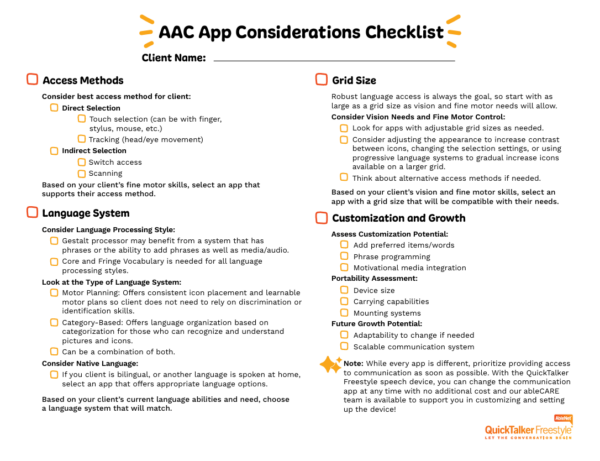
You can also download a checklist to help you narrow down your choices!
Choosing a Speech App: Key Factors🔗
When choosing a speech app, it’s helpful to remember that there are many options that can work well—no single app is “best.” Starting with some of these key factors makes it easier to narrow down which apps are likely to be the best fit based on the AAC user’s unique strengths and needs.
- What are the user’s primary communication needs? Think about the user’s daily environments and the types of things they may want to communicate in those environments.
- Does the user need a picture- or symbol-based system, a text-based system, or a combination of both? Be sure to consider the user’s current literacy skills, support needs, and long-term communication goals when making this decision
- What are the user’s fine motor capabilities? Some users may need larger icons or alternative access like head-tracking or external switch use in their app.
- Does the user need multiple languages? If the user spends time in bilingual environments, you can select a speech app that supports all their languages.
- Does the user have any sensory impairments? Think about any visual or auditory accommodations the user may need in a speech app.
- What changes would help the user use their speech app more easily? Adding real‑life photos, simplifying the button screens, or recording familiar voices could make communication easier or more comfortable for them.
- What are the long-term communication goals for the user? Not only do we want an app that suits the user’s needs now, but we want to select an app they can grow with for the best continuity of communication development.
Narrowing Down Speech App Options 🔗
Once you have an idea of what features you are looking for in a speech app, it’s time to start evaluating options!
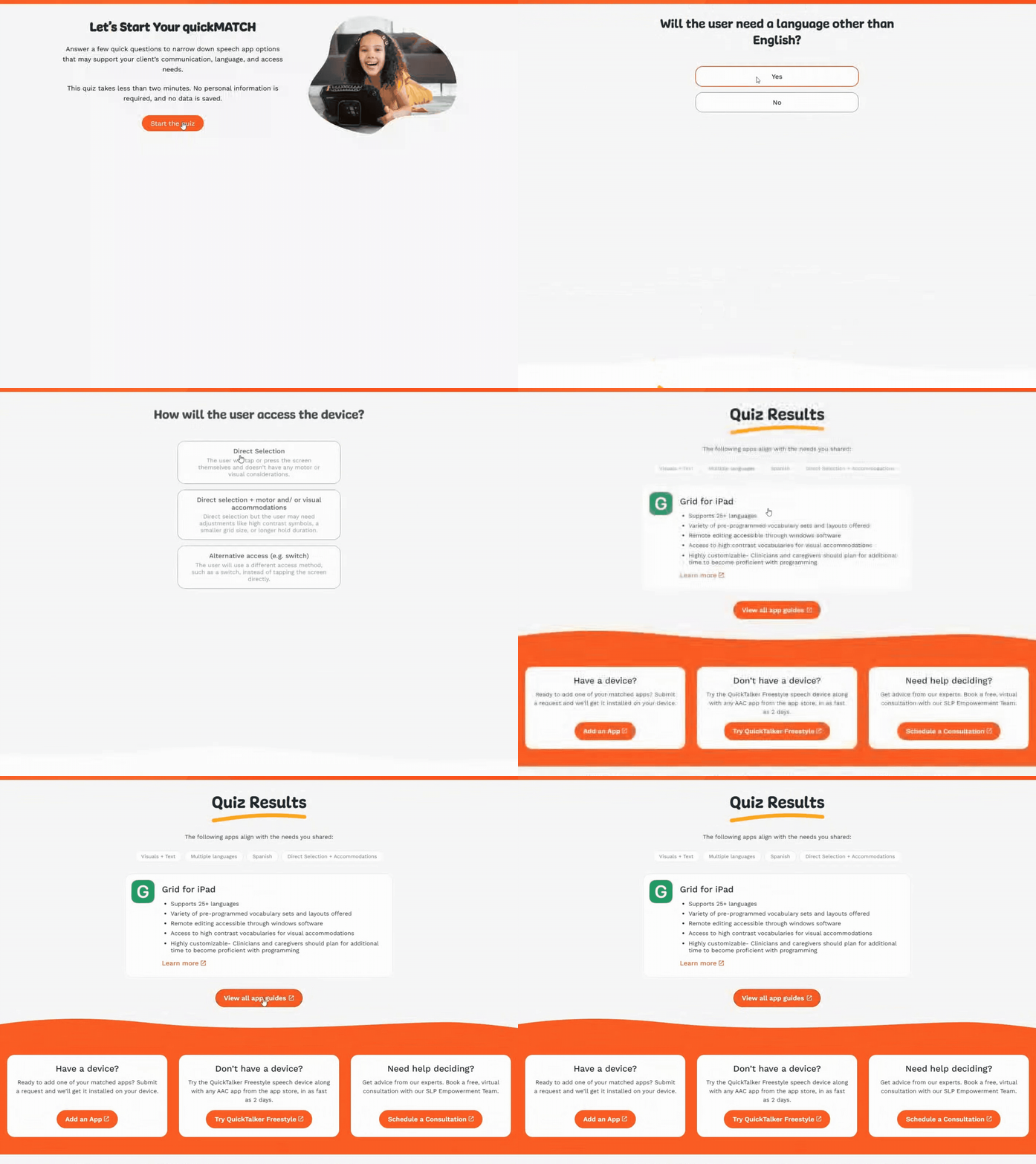
Since there are many speech app options available, to help narrow down your search, we’ve created QuickMatch: an interactive quiz to generate potential speech app options for your user.
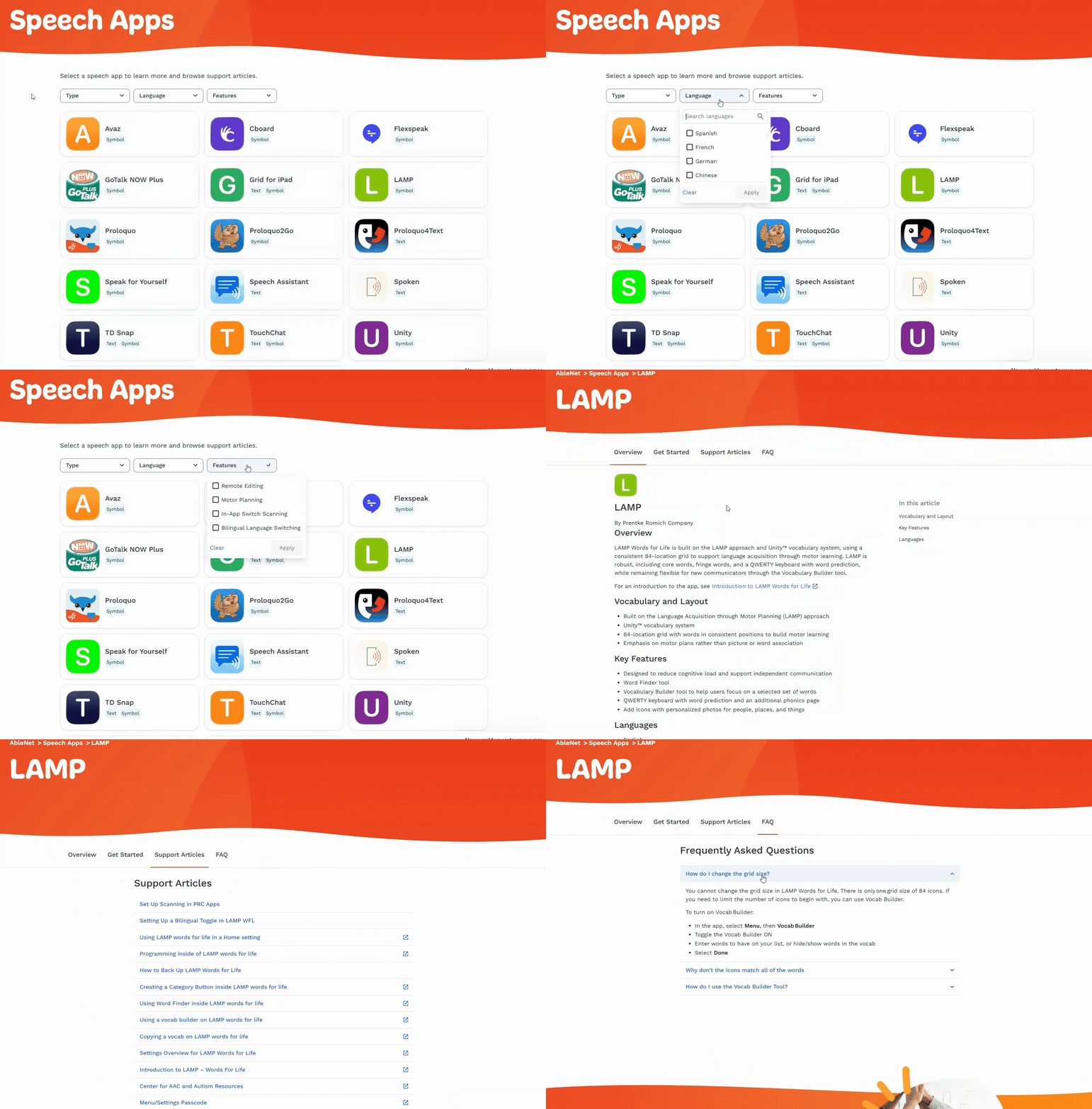
You can also explore options on your own by checking out our filterable speech apps landing page. You can filter speech apps by language, communication type, and feature, allowing you to compare apps to find the best fit.
Testing Speech App Options🔗
Once you have it narrowed down to a few options, it’s time to test them out! Trying a few options can help you feel confident that you’ve picked the best choice for your AAC user.
The AbleEXPERIENCE program with AbleNet helps you try speech apps on the QuickTalker Freestyle without having to commit to one right away.
While trialing different app options, ask the following questions:
- Can the user communicate a wide variety of thoughts and needs using the app? Is there too little or too much vocabulary available to the user?
- Can the user navigate the speech app with relative ease? Would other features help make it easier for them to use?
- Is the user engaged and interested in the speech app? Are they avoiding using the app even after encouragement and support?
- What is the user experience like for the family of the AAC user? Can they customize and model vocabulary on the device?
Implementing the Speech App 🔗
It’s important to note that most AAC users need time and frequent exposure to a speech app to learn to use the system. Just because a user is not immediately independent with a speech app does not mean it’s the wrong fit; it might just mean that they need more time and support.
To support user learning of the chosen app it’s important to:
- Offer training for the user’s support team. SLPs, caregivers, and educators should be able to model in the app.
- Set both short- and long-term goals. Track progress towards independent device use.
- Encourage open communication between all team members. Identify any barriers to AAC use across environments.
- Bring in outside support. AbleNet is here to help! The SLP Empowerment Team supports SLPs and families with AAC implementation with any app on any device.
Changing a Speech App 🔗
Sometimes, even with careful selection and thoughtful implementation, a speech app might not be the right fit for the user–and that’s okay!
Some indications that it might be time for a change are:
- Frustration or disinterest in using the speech app
- Current app doesn’t support the user’s expanding vocabulary
- Persistent challenges in using the application despite training
When considering an app change, involve the entire team in discussing current concerns as well as the benefits and drawbacks of switching to a different app. Check out this article on when to change your speech app for a deeper dive.
Speech App Selection Made Easy 🔗
Choosing, implementing, and reflecting on a speech app for the QuickTalker Freestyle is an important process. Use the speech app landing page to browse options on your own, or use quickMATCH to narrow your choices.
Consider the user’s communication needs, long-term goals, and necessary support and they’ll be chatting with their QuickTalker Freestyle in no time!
Print the Checklist🔗
Need More Advice? Ask an SLP!🔗
From speech app guidance to AAC resources, our SLP Empowerment Team is here to help!
