
Every Word Matters: Why AAC Devices Include a Full Range of Vocabulary



Last Updated: August 13, 2026
Families may be surprised to find topic pages and categories on their child’s augmentative and alternative communication (AAC) device that don’t seem age-appropriate. Pages related to alcoholic beverages, body parts, and sexuality can raise questions and eyebrows for families new to AAC.
So, why does AAC vocabulary include so much language in it? AAC systems are designed to support full human communication across the user’s lifespan. This article explains why that matters, what best practices recommend, and how families can thoughtfully manage vocabulary while still supporting their child’s safety and development.
Why a Robust Vocabulary?
A robust AAC vocabulary includes a wide range of words because they are designed for all ages, including children, adolescents, and adults. Research shows that having a full, robust vocabulary helps AAC communicate more effectively.
Like children and adults who use spoken language, AAC users deserve access to words that support their safety, self-advocacy, and healthy development. This type of language helps users ask questions, express feelings, set personal boundaries, and communicate if something feels uncomfortable or unsafe.
Best practice recommends that we do not delete any words from the device. Instead, if you feel that some of the language is inappropriate for your young user, create a schedule for when these might become appropriate to use.
Managing Vocabulary Thoughtfully
As users get older and advance in their communication skills, they’ll need more access to more words. Here are some ways to handle having mature vocabulary on your child’s device.
Explore the Device
Before your child uses the device, take some time to find any vocabulary that may not be considered age-appropriate. Knowing what vocabulary is on the device can help you decide if there is anything you would like to edit or hide.
Edit Vocabulary
If you find vocabulary that might not be age-appropriate, you can always edit the word or picture. Programming words that your family uses is a great option so that the words you use will match the words on the device.
If you would like to learn how to edit the communication app your child is using, check out our speech app guides. Select your speech app and head over to the “Support Articles” or “FAQs” tab to find out how to edit icons.
Hiding Vocabulary
Hiding vocabulary until you feel your child is at an age where it is more appropriate to have access to that vocabulary is a great choice. This will allow you to keep the vocabulary on the device while preventing your child from accessing it until they’re ready for it.
Each communication app has a different way to hide the vocabulary. Head over to our speech app guides, select your speech app, and check out the “Support Articles” or “FAQs” to find out how to hide your icons.
Just Because They Don’t Use It Doesn’t Mean They Don’t Need It
You may also notice vocabulary that seems unnecessary for your child right now. For example:
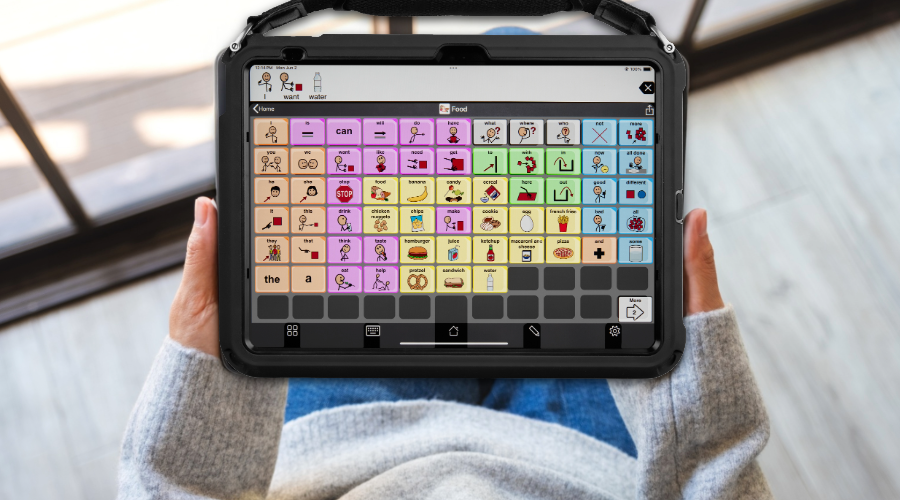
- A child who does not eat by mouth may still benefit from food vocabulary to take part in songs, pretend play, or conversations.
- A child may have access to clothing items they don’t personally wear, allowing them to comment on what others are wearing or engage in social interactions.
Removing these words can unintentionally limit opportunities for participation, learning, and connection.
Plan for a Future of Conversations
AAC devices include a broad vocabulary because communication is complex, personal, and constantly evolving. While some words may feel surprising at first, they play an important role in supporting safety, self-advocacy, and lifelong communication.
With thoughtful exploration, editing, and support, families can ensure their child’s device meets their needs today while still preparing them for tomorrow.
Related Links
Need More Advice?
Reach out to the SLP Empowerment Team or contact a Parent Enthusiast!
