


You’re here because: The openings on your keyguard don’t line up with the buttons in your speech app, so they are covered, cut off, or in the wrong spot.
Before You Begin
If you need to request a new or modified keyguard, you’ll need your Funding Request Number (FN).
Keyguard Is the Wrong Grid Size
Each speech app uses a different vocabulary, and most let you change the grid size. If the layout or grid size in your app is different from the one your keyguard was made for, the openings won’t line up.
- Open your speech app’s settings, then check which grid size is selected.
- Find which vocabulary your speech app uses. Use the Speech App guides to look it up.
- Compare the vocabulary and grid size with the layout your keyguard was made for.
- If they don’t match, submit a request for a new keyguard using the layout you currently use.
- Be sure to take a screenshot of your speech app grid and upload the screenshot to the form.
- If you use more than one layout, submit a separate request for each layout. If you’re ordering for more than one user, submit a separate request for each user.
Not sure which layout you have? Select Other under “Layout Name” on the order form or contact the ableCARE team for help.
Keyguard Was Made for a Different Device
Keyguards are made for a specific screen size and case type. If your keyguard was ordered for a different size or case, it won’t fit your screen correctly. This can happen if you received a replacement device through warranty.
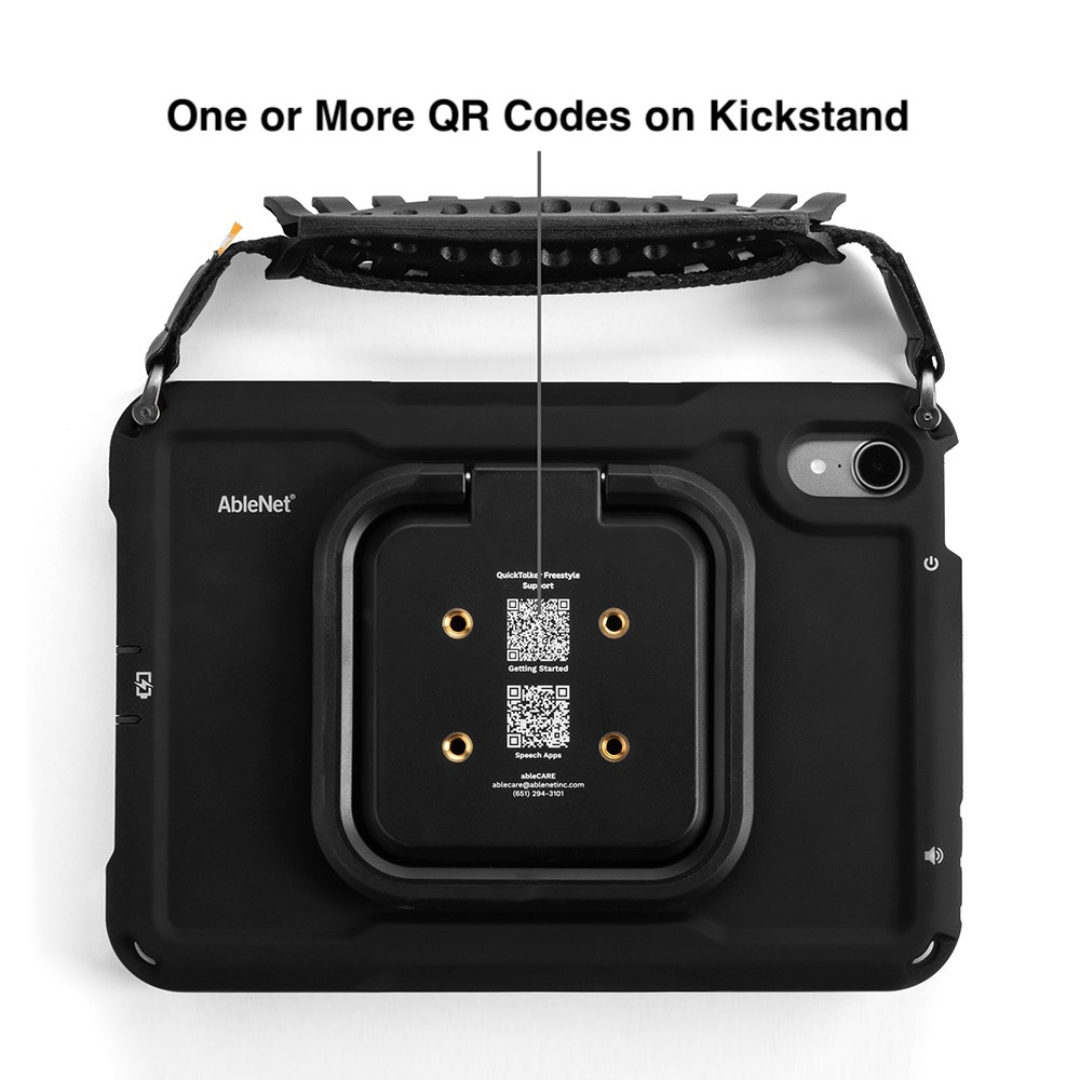
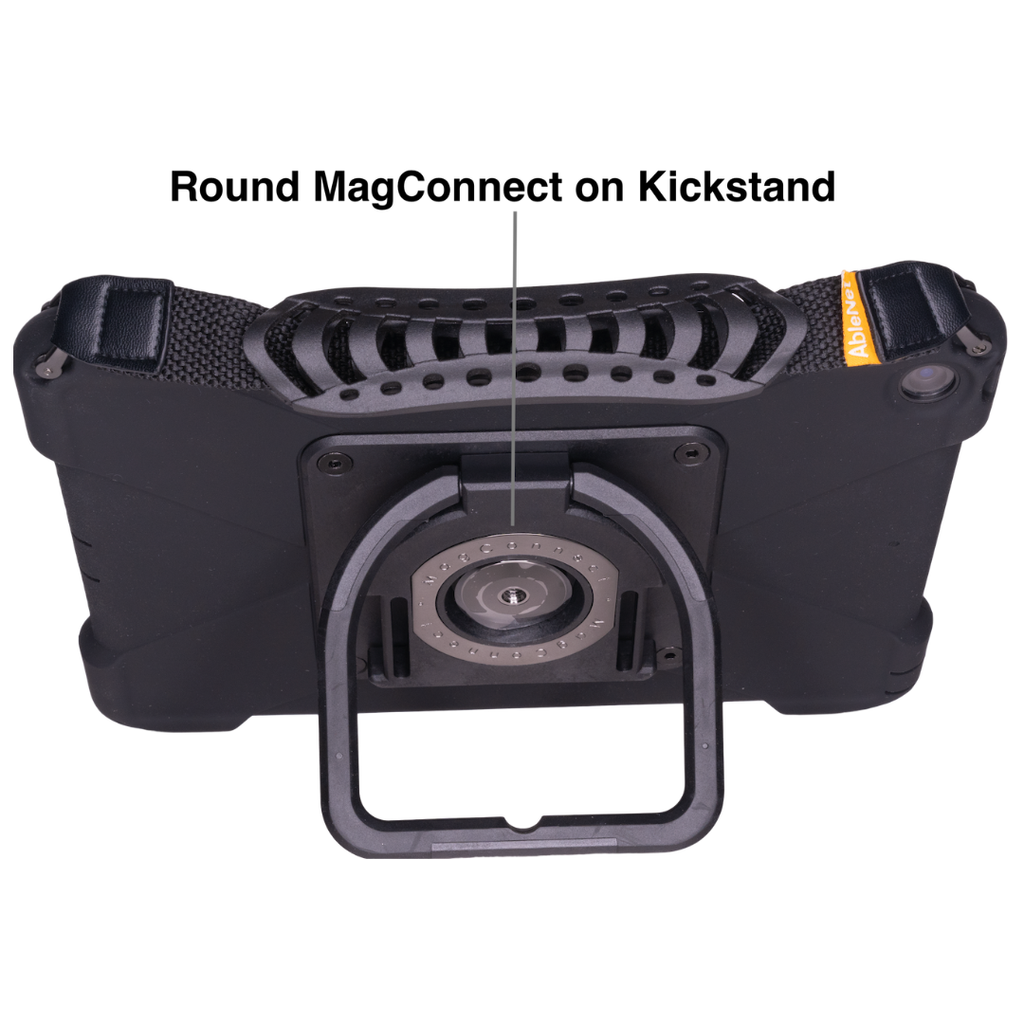
- Look at the back of your device to find your device type:
- If you see four threaded holes and one or more QR codes on the kickstand, you have a QuickTalker Freestyle – Four Threaded Holes.
- If you see a round MagConnect attachment, you have a QuickTalker Freestyle – MagConnect.
- Measure your screen diagonally, then use the chart below to find your iPad size.
| Device Type | QuickTalker Freestyle | QuickTalker Freestyle Mini |
| QR Code Case | 11″ Display | 8.3″ Display |
| MagConnect Case | 10.2″ Display | 8.3″ Display |
If your keyguard was made for a different size or device type, submit a new keyguard request with your current device information. See Order a Keyguard.
Keyguard Needs to Be Modified
If your keyguard is close but needs changes, such as a different opening shape, you can request a modified keyguard.
What to do:
- To change an existing keyguard, select Other under “Layout Name” on the order form so the team can reach out and confirm.
- To request round openings instead of square, select Other for “Select an AAC App.” Then in “Additional Comments,” include:
- Your app name
- Grid size
- Opening shape you want
- Any other specifications
- Example: Proloquo2Go – 6×10 grid – round openings – no swipe – icons on
- Attach a screenshot of your layout.
Next Steps
Standard templates usually start being made within two business days of your order. Custom keyguards take longer depending on the design and your approval. The team will keep you updated along the way.
When your new keyguard arrives, follow the installation guide in the box, or use the guide for your device:
If you have keyguard-specific questions, send them to [email protected].
Still Stuck?
Our support teams are available Monday – Friday, 8 a.m. – 5 p.m. CST.
-
ableCARE Product Support
For technical issues related to QuickTalker Freestyle or assistive technology products.