


A screenshot is a picture of whatever is on your screen. Taking one is a quick way to show someone exactly what you’re seeing, like a speech app page. The buttons you press depend on whether your device has a Home button. This is the same for both QuickTalker Freestyle and QuickTalker Freestyle Mini.
Before You Begin
- Check whether your device has a Home button. The Home button is a round button on the front of the device, next to the screen. If you don’t see one, follow the steps for devices without a Home button.
Take a Screenshot on a Device Without a Home Button
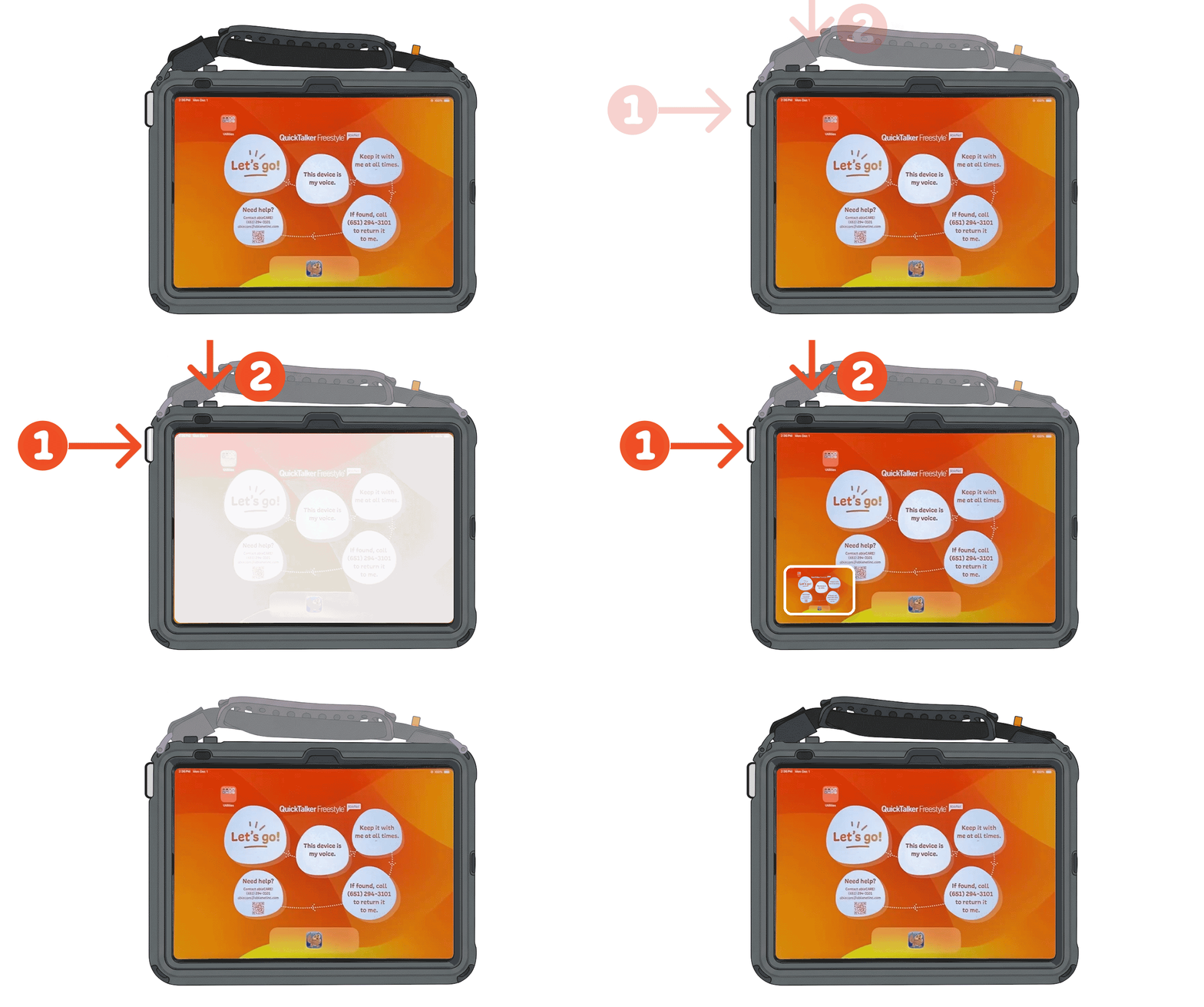
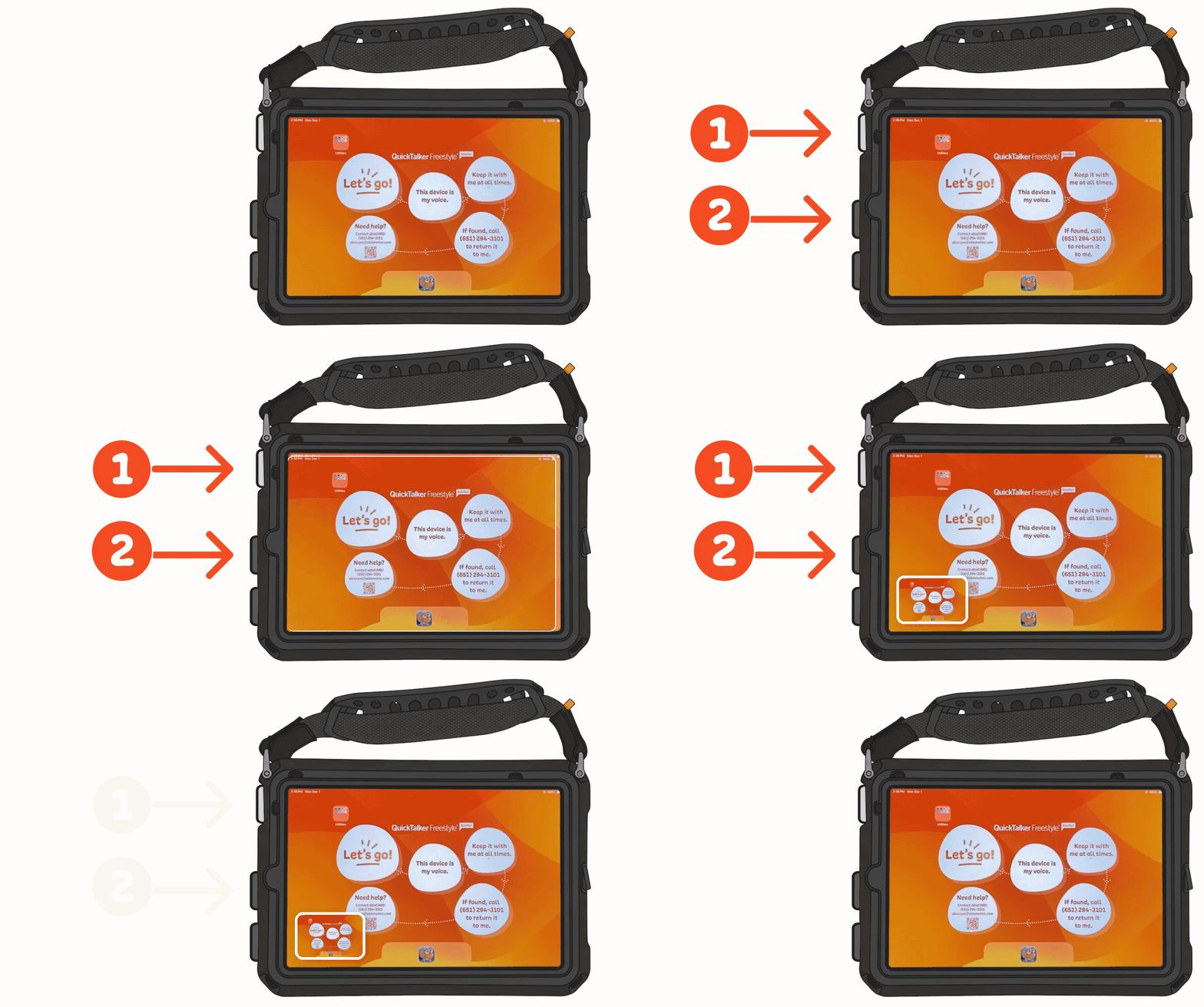
- Open the screen you want to capture, such as a page in your speech app.
- Press the Power button and either Volume button at the same time, then quickly let go of both.
- Look for the screen to flash white. This means your screenshot was taken.
- Tap the small preview that appears in the lower-left corner to view, edit, or share your screenshot. To close the preview, swipe it to the left.
Take a Screenshot on a Device With a Home Button
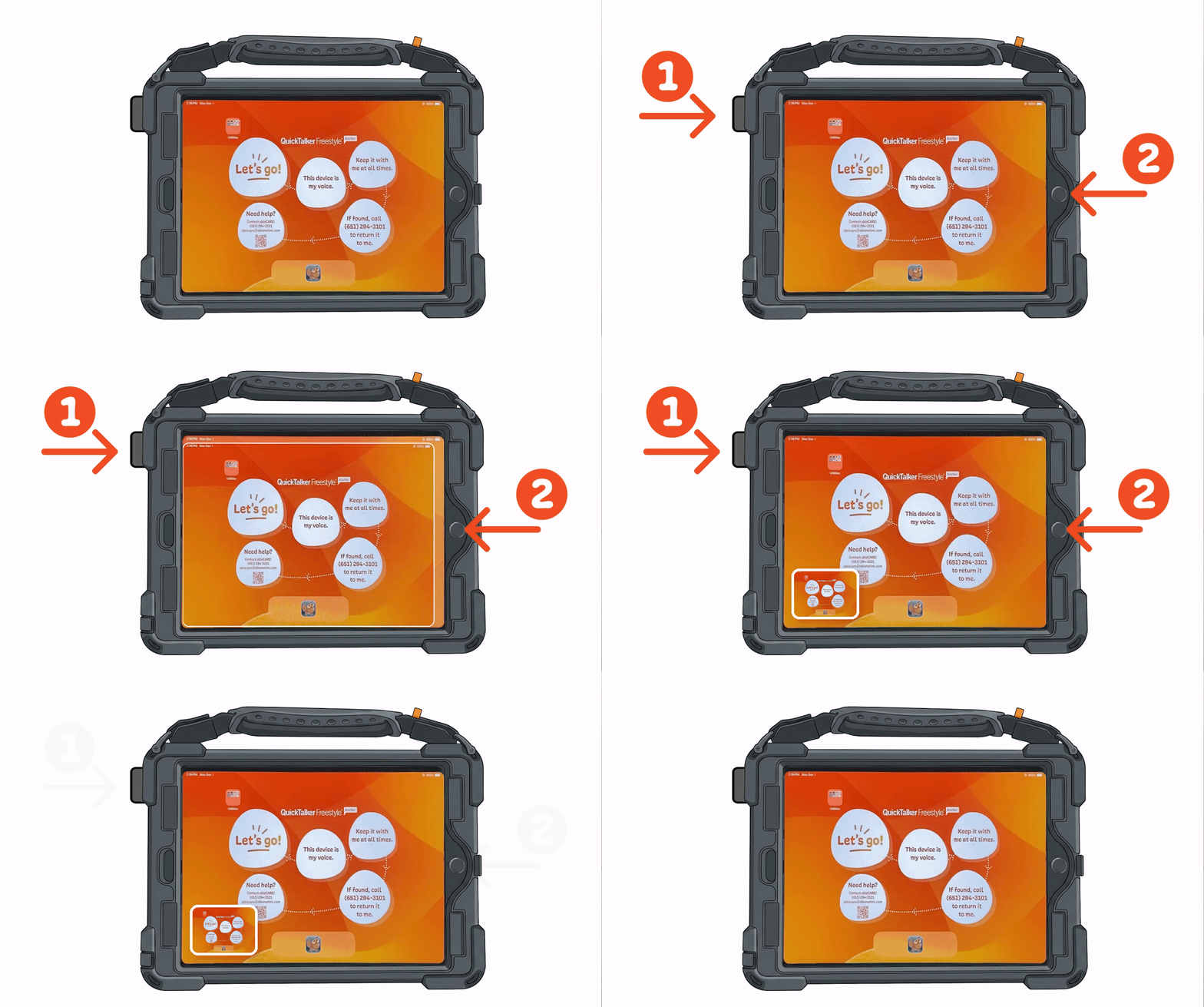
- Open the screen you want to capture, such as a page in your speech app.
- Press the Power button (at the top) and the Home button at the same time, then quickly let go of both.
- Look for the screen to flash white. This means your screenshot was taken.
- Tap the small preview that appears in the lower-left corner to view, edit, or share your screenshot. To close the preview, swipe it to the left.
Find Your Screenshot Later
- Open Utilities.
- Open the Photos app.
- Tap Collections, then swipe up.
- Tap Media Types, then tap Screenshots.
Still Stuck?
Our support teams are available Monday – Friday, 8 a.m. – 5 p.m. CST.
-
ableCARE Product Support
For technical issues related to QuickTalker Freestyle or assistive technology products.