


You’re here because: Your keyguard doesn’t line up with the buttons on your screen, or it won’t attach to your device the way it should.
Before You Begin
If you need a new keyguard, have your Funding Request Number (FN) ready. You can look it up with the Find My FN Tool.
The Keyguard Is for the Wrong Device Type
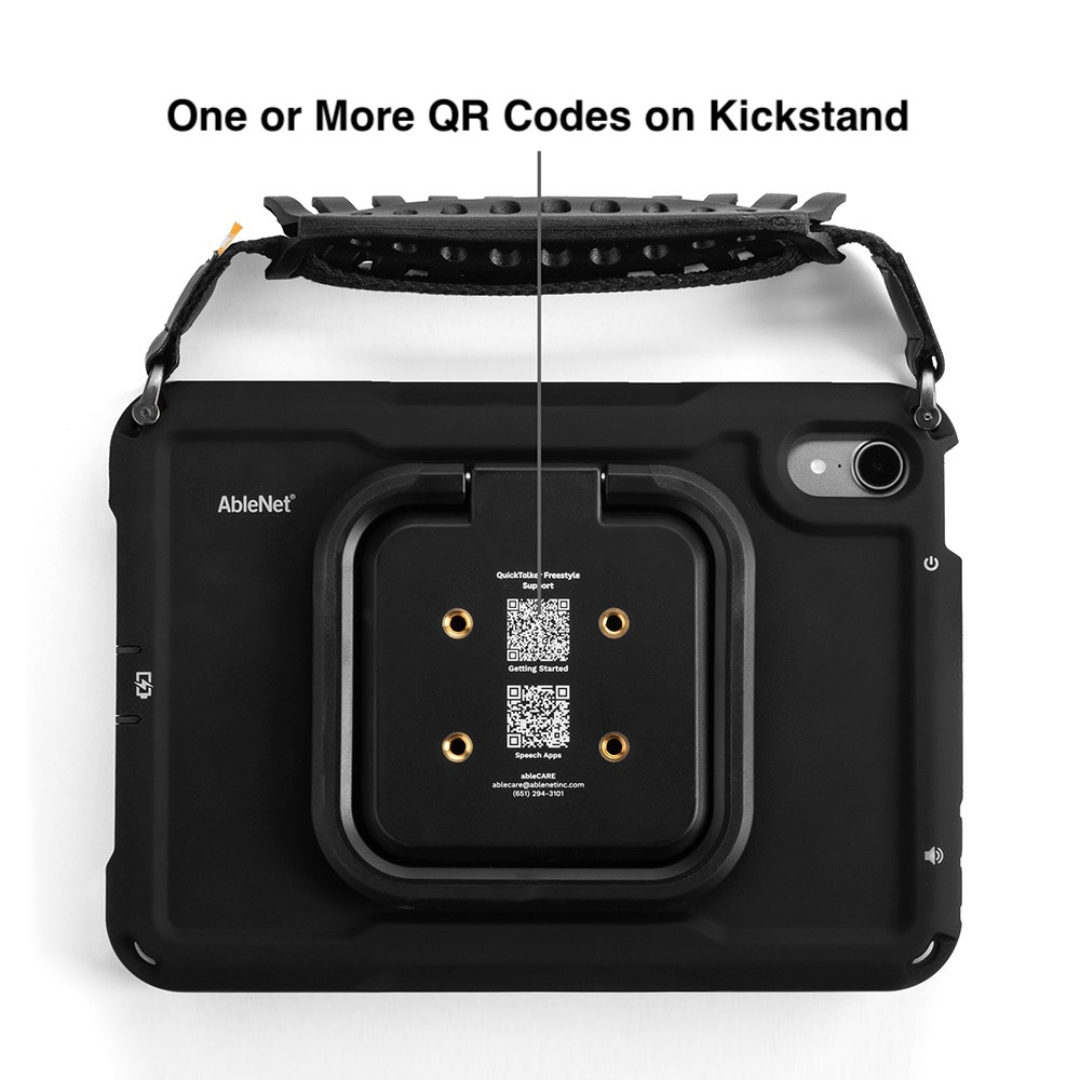
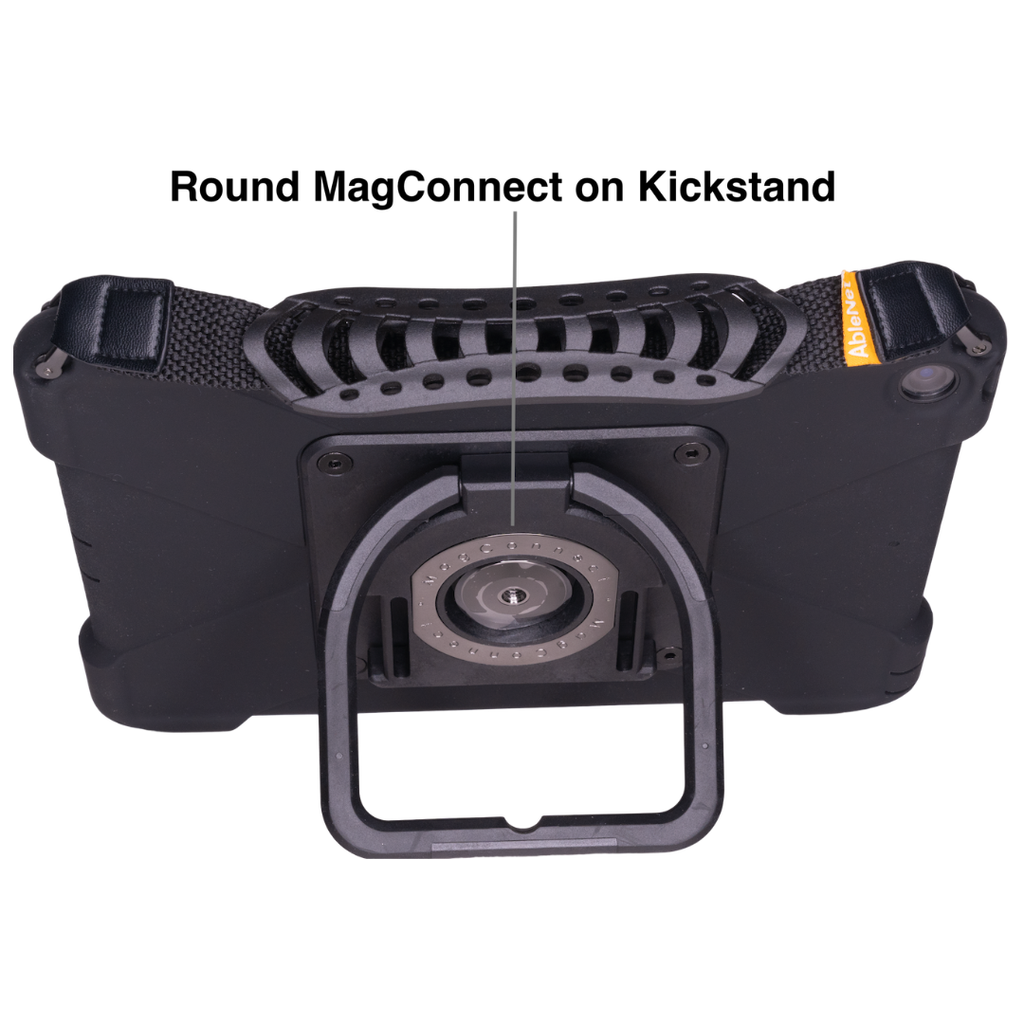
- Turn your device over and look at the kickstand on the back to find your device type.
- Four threaded holes and one or more QR codes: QuickTalker Freestyle – Four Threaded Holes.
- A round MagConnect attachment: QuickTalker Freestyle – MagConnect.
- Open the setup guide for your device type and compare it with how your keyguard is attached:
- Reattach the keyguard by following the setup guide. You can also use the installation guide that came with your keyguard.
- It should now align properly with the vocab page that the keyguard was ordered for. If it still doesn’t fit, continue to the next section.
Keyguard Is the Wrong Size
- Measure your screen diagonally, from one corner to the opposite corner.
- Find your measurement and device type in the chart below to confirm your device size.
- Compare your device size with the size you selected when you ordered the keyguard.
- If the sizes don’t match, request a new keyguard with the correct device size (see “Request a New Keyguard” below).
| Device Type | QuickTalker Freestyle | QuickTalker Freestyle Mini |
| QR Code Case | 11″ display | 8.3″ display |
| MagConnect Case | 10.2″ display | 8.3″ display |
You Received a Replacement Device
If you recently received a replacement device through warranty, your new device may need the Integrated sideCLICK keyguard, so your old sideCLICK With Clips keyguard may no longer fit.
- Check the back of your new device for four threaded holes and one or more QR codes (see the images under “The Keyguard Is for the Wrong Device Type”).
- Submit a new keyguard request with your current device information (see “Request a New Keyguard” below). Replacement keyguards are free for all QuickTalker Freestyle users.
Request a New Keyguard
Keyguards are available at no additional cost as part of your ableCARE coverage. To order one, follow the steps in How to Order a Keyguard for the QuickTalker Freestyle, or go straight to the Keyguard Request Form.
Our keyguards are custom made for each order. There is no need to return an incorrect keyguard. Instead, please use it on another device if possible, or dispose of it.
Next Steps
If you have keyguard-specific questions, send them to [email protected].
Still Stuck?
Our support teams are available Monday – Friday, 8 a.m. – 5 p.m. CST.
-
ableCARE Product Support
For technical issues related to QuickTalker Freestyle or assistive technology products.