
Getting Started with the QuickTalker Freestyle AMPS Mount for One


Introduction
The AMPS Mount for One is designed for all QuickTalker Freestyle devices with four threaded inserts on the kickstand. This includes both QuickTalker Freestyle and QuickTalker Freestyle Mini. This mount includes a durable mounting plate and four screws for quick installation.
If your device does not have one or more QR codes on the kickstand, your device uses the One Mounting Cradle for QuickTalker Freestyle or the Quick Ready Tablet Holder for QuickTalker Freestyle Mini. If you are unsure about which mounting solution is right for your QuickTalker Freestyle, please contact ableCARE for more information.
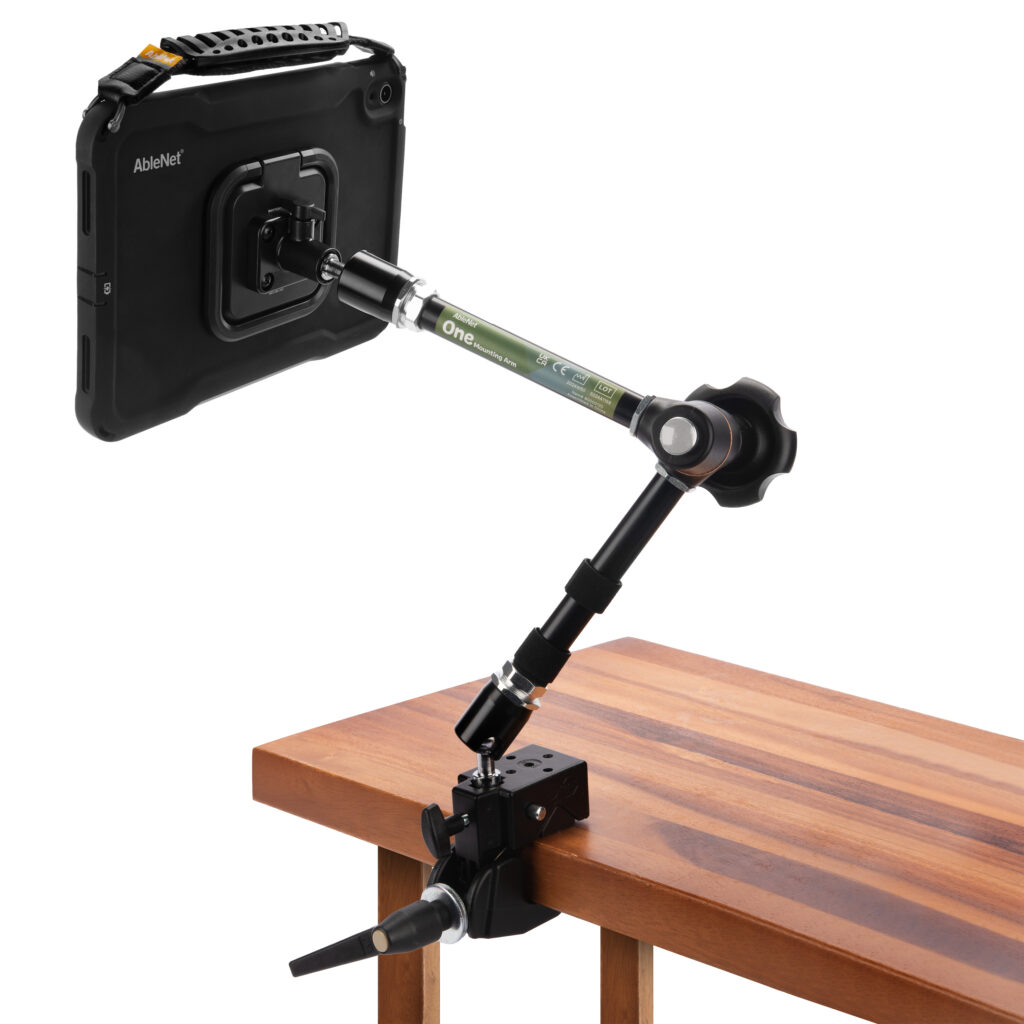

Getting Started
The video below offers an introduction and overview of how to set up your AMPS Mount for One with your QuickTalker Freestyle. It will guide you through initial setup, including attaching the mounting plate to your device and using the One mounting arm.
To use your AMPS Mount for One, follow these steps:
- Place the mounting plate on the back of the kickstand, aligning it with the four threaded holes.
- Insert and tighten the four included screws.
- Secure the One mounting arm to a tabletop, wheelchair, or other desired surface.
- Loosen the thumb screw on the mounting plate so it no longer extends into the center hole.
- Slide the mounting plate bracket onto the One mounting arm.
- Tighten the thumb screw to secure the device in place.
Additional Resource Links
- QuickTalker Freestyle Mounting Support Hub
- QuickTalker Freestyle Accessories Support Hub
- One Mounting Arm Support Hub
Still Stuck?
The ableCARE Product Support Team is here to help!
