
Navigating the First Days With a Communication Device
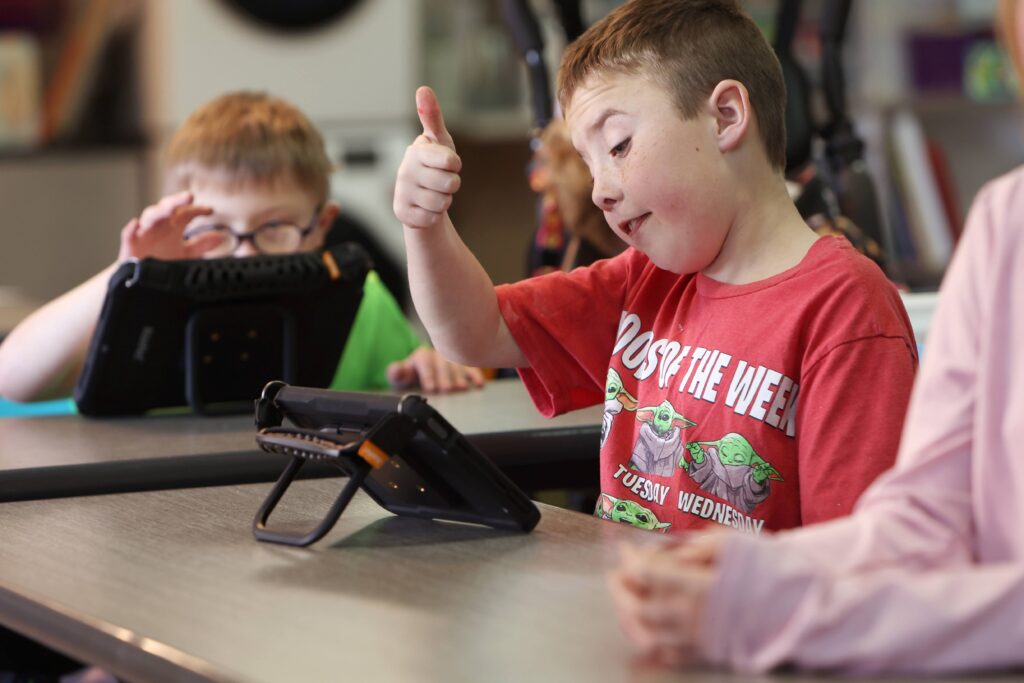
What to expect during your first few days with a QuickTalker Freestyle device.

First things First…🔗

Take the device out of the box and make sure it’s fully charged. (Please note: if the device was delivered directly to your SLP, you may not have the box—and that’s okay! You can still follow the steps below.)

  • Some families like to designate a home for the device, where it can be charged or left when not in use. Some things to consider for your device’s home:
    • Proximity to an outlet for easy charging
    • Ease of user access – can your child access the device while charging or when they want to use it.
  • This device is yours to support your child. It should go wherever your child goes, and returning home each day helps keep it safe and ready to use.

What is on the device and why?

Communication/ speech app

  • This is the app your speech therapist would like to trial/recommended.

Utilities Folder

  • In this folder you will find a variety of apps.
    • Settings
      • SOS – This app is used by our technical support teams to allow us to remote into the communication device to help troubleshoot any issues. The only way we can access your device is if you provide one of our team members with a code.
      • NOTE: AbleNet does not have the ability to remote into any device without your permission.
    • DropBox- AbleNet recommends using Dropbox to back-up your vocabulary files. (Create a free account by going to https://www.dropbox.com/basic) As your child uses the device you or your SLP may customize the device with important words to your child; such as people, tv shows, song choices, toys, places etc. If the device breaks or needs to be replaced, those customizations could be lost. Backing up the vocabulary to Dropbox ensures that if anything goes wrong, you’ll be able to easily recover your child’s vocabulary file and continue where you left off.
    • Camera/Photo Library – All of the communication apps will allow you to upload pictures of items or people to make the buttons/ cells more meaningful for the user.  You can use the camera to take pictures ahead of time or you can use the camera in the communication app as you are personalizing/customizing cells.

Now that you know what is on the device it is time to take a look at the communication app.🔗

Take some time so that you can learn where the various vocabulary is located.

In order to help your child learn the language system you will need to take some time to learn it first.

  • When the child isn’t using the device go ahead and take some time to explore the vocabulary. You will want to see what vocabulary comes with the software and explore pages that you know will be important to the user. You may also want to make a list of vocabulary you want to be added (I.e. people, places, favorite toys etc.)
  • When a baby is learning language they are immersed in it. Parents/caregivers are constantly talking to the baby. They are constantly hearing different words and seeing how to make the different sounds by watching an adult’s mouth. The same thing will happen with someone who uses a communication device. They need to be taught how to use/say different words and they will learn this by watching you!
  • For more helpful information regarding this topic check out this Support Hub Article Communication Partners Skills for AAC Learners.

There’s a learning curve for everyone!

  • AAC takes practice, just like learning to talk.
    • You may initially feel:
      • Unsure of how to model language (If you aren’t sure how to model, check out this great resource: Aided Language Stimulation)
      • Overwhelmed by programming or navigating a device.
      • Uncertain about “doing it right”
    • That’s why it is important for you to take some time and also why it’s important to have an SLP as a part of the team.
      • Your SLP is there to help explain the communication app, the philosophy behind the app and how to implement/use the device in order to help the child be successful.
      • If you still feel overwhelmed or would like to learn more you can call the SLP Empowerment Team at 651-294-3101 option 2 or schedule a virtual appointment to meet with one of our SLPs https://go.oncehub.com/ablecareslp

After spending some time with the device you may be wondering how to start using it with your child🔗

This is a great time to consult with your SLP to see if they have any recommendations since they are familiar with how your child is currently using the communication device.

Start small!

  • Pick one activity it could be a preferred toy (blocks, bubbles etc.), book or maybe snack time. For ideas of what types of activities check out this Support Hub resource AAC Practice Activities for Families.
  • Once you pick that activity make sure you know what vocabulary you want to model and where it is located on the device. For example if you are reading a book about farm animals you want to know where farm animals are located.

Remember you are not alone!🔗

Your SLP is your teammate. They are there to support and help your child so don’t be afraid to ask questions!

The Empowerment Team – The SLP Empowerment Team is composed of speech-language pathologists who are dedicated to supporting you, the family, and the device user. From choosing the best speech app for your learner’s unique needs to advice on family integration, the SLP Empowerment Team will help you with your questions, big or small, using our incident-based support model. . We also support any speech app, on any device – because that’s our commitment to AAC success!

The AbleCare Team- Is a team of amazing representatives that are here for you if you need technical support or troubleshooting with the QuickTalker Freestyle device.

AbleFamilies- AbleFamilies is a growing community where QuickTalker Freestyle families come together to ensure no one navigates the journey alone. In AbleFamilies, we celebrate each other’s wins, learn from each other’s experiences, and remind each other that every step forward matters.

Still need more help?

Learn more

