
AAC Beyond the Screen: Core Board Posters



Last Updated: July 30, 2026
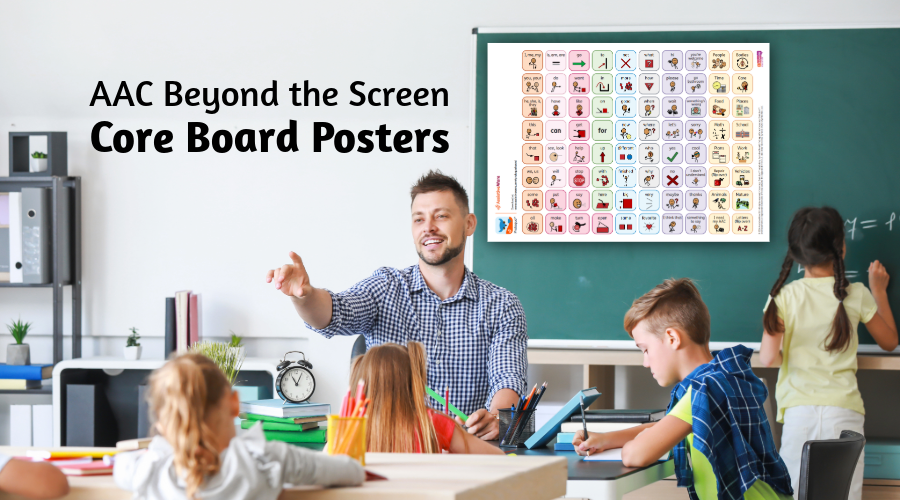
Core board posters are a great addition to spaces like classrooms, gyms, libraries, and playgrounds. Not only do they make vocabulary readily available for AAC users as they access these spaces, but they can also help teach peers and building staff about AAC too by creating an inclusive communication environment!
Step 1: Select Core Vocabulary🔗
The first step in making your poster is selecting the vocabulary you want on it. Commonly, core boards typically resemble the “home” page of a vocabulary or speech app—the one that features the most core words!
Another popular option is to create topic-specific core boards that pair core vocabulary with words relevant to the location of the board. Examples include:
- Action words for the playground
- Words related to books and reading in the library
Step 2: Creating Your Core Board🔗
You have a couple of options for creating your core board.
Option 1: Using the Speech App🔗
Open the app you’d like to model the core board after on your QuickTalker Freestyle.
Screenshot (by pressing the power and volume up buttons simultaneously) the page you’d like to use as your core board poster, or open up a blank page on the vocabulary and customize a board to your needs!
Next, save your screenshot to Dropbox. Open the camera roll on the QuickTalker Freestyle and select the screenshot you’d like to upload. Hit the upload icon in the top right and select Dropbox. If you don’t have a Dropbox account yet, be sure to make a free account with Dropbox Basic.
Option 2: Pre-made Core Boards🔗
Another option is to use a pre-made light-tech board already created by an app developer. You can download and save them to your computer or web-enabled device and be ready to print!
You can find some of those options here:
- TouchChat, Unity, LAMP: PRC Core Boards
- TD Snap Core First and Motor Plan: TD Core Boards
- Proloquo and Prolquo2Go: AssistiveWare Core Boards
- Avaz: Avaz Core Board
Step 3: Print Your Core Board🔗
Once you have your board’s screenshot or download, it’s time to print!
Many print shops (like OfficeMax, Staples, and FedEx) offer poster-size printing. Using a computer or other web-enabled device, search for your preferred print shop and select “poster” as the print product.
Upload the board from your device, or connect your Dropbox account and select your screenshot/download. Choose the type of poster (matte will probably be the cheapest) and select horizontal or landscape as the orientation.
Confirm it looks the way you want—and you are ready to print your own core board poster!
Step 4: Use Your Core Board🔗
Make sure your core board is in a high-traffic area that’s easy to see and access. Here are some examples of where you could use a big Core Board:
- Circle time area pointing to applicable words during reading
- Gym class when it’s difficult to carry technology
- Small group areas with new vocabulary for learning
Working together with teachers to implement the core board will make it a routine part of a child’s life. Here’s to a future full of conversations!
Explore More AAC Resources:🔗
Need More Advice? Ask an SLP!🔗
From speech app guidance to AAC resources, our SLP Empowerment Team is here to help!
