


A keyguard puts a physical border around each button on your speech device, which helps you select the right button and avoid accidental touches.
Before You Begin
Is this article right for your device?
This article applies to the MagConnect versions of the QuickTalker Freestyle and QuickTalker Freestyle Mini. Your device is a MagConnect device if it has:
- A round MagConnect attachment on the kickstand
- No QR codes or threaded holes
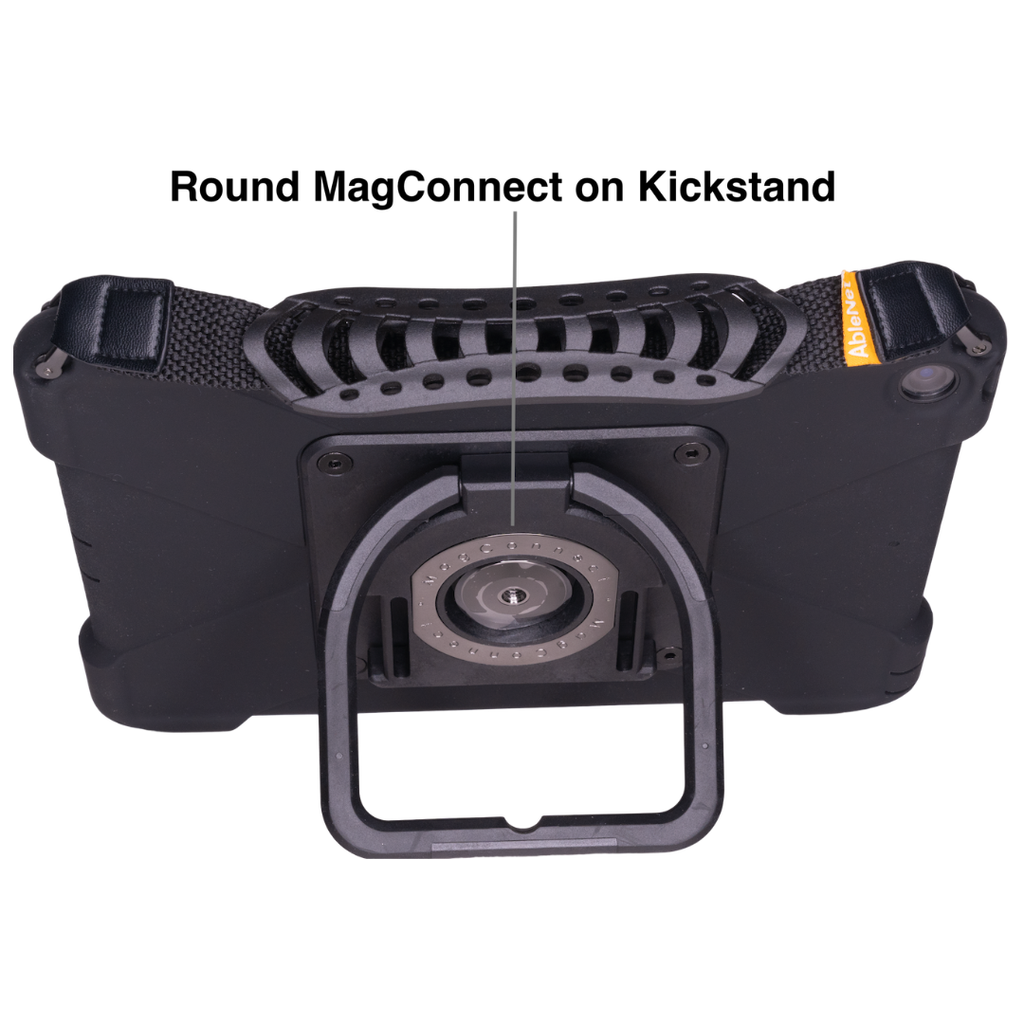
If your device has four threaded holes and QR codes on the kickstand, see Install the Integrated sideCLICK Keyguard instead.
Attach the Clips
The video below shows how to install the sideCLICK With Clips keyguard on the QuickTalker Freestyle and QuickTalker Freestyle Mini.
Your keyguard comes with two clips: one for the camera side and one for the charge port side of your device.
- Place a clip at the edge of your device.
- Hook the top edge of the clip on the screen side first.
- Press firmly until the back of the clip slides into place.
- Repeat steps 1 to 3 with the second clip on the opposite side.
Install Your Keyguard
- Line up the two tabs on one side of the keyguard with the holes in one clip, then insert the tabs.
- Press firmly on the opposite side of the keyguard until it locks into place.
Remove Your Keyguard
- Pull up firmly from the center of the keyguard.
You can leave the clips on your device.
Need More Help?
Our support teams are available Monday – Friday, 8 a.m. – 5 p.m. CST.
-
ableCARE Product Support
For technical issues related to QuickTalker Freestyle or assistive technology products.