


Keyguards help individuals use their speech devices more accurately by providing physical boundaries around each button. These protective overlays help users target selections while reducing accidental touches. For individuals with motor challenges or visual impairments, keyguards provide tactile guidance that supports independent device use.
Before You Begin
Is this the right article for your device?
Keyguards come in different sizes to fit different versions and speech app layouts for the QuickTalker Freestyle. Your device works with the Integrated sideCLICK Keyguard if it has both of the following:
- Two integrated keyguard holes on the left and right sides of the screen
- One or more QR codes on the kickstand
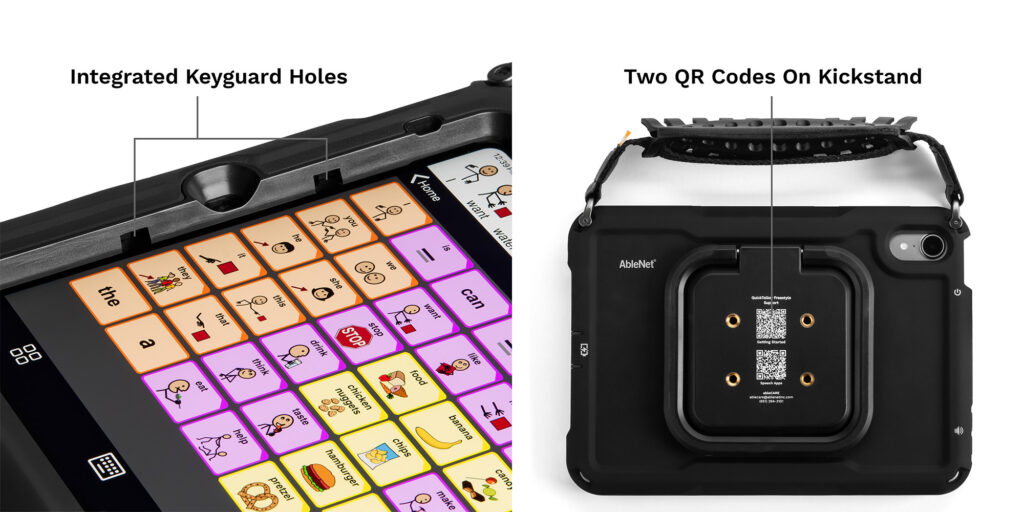
If your device doesn’t have integrated keyguard holes or one or more QR codes on the back, see Install the sideCLICK With Clips Keyguard for guidance on MagConnect devices.
Install Your Keyguard
Installing the keyguard takes just a few seconds. The video below introduces the Integrated sideCLICK Keyguard and walks through installing and removing it.
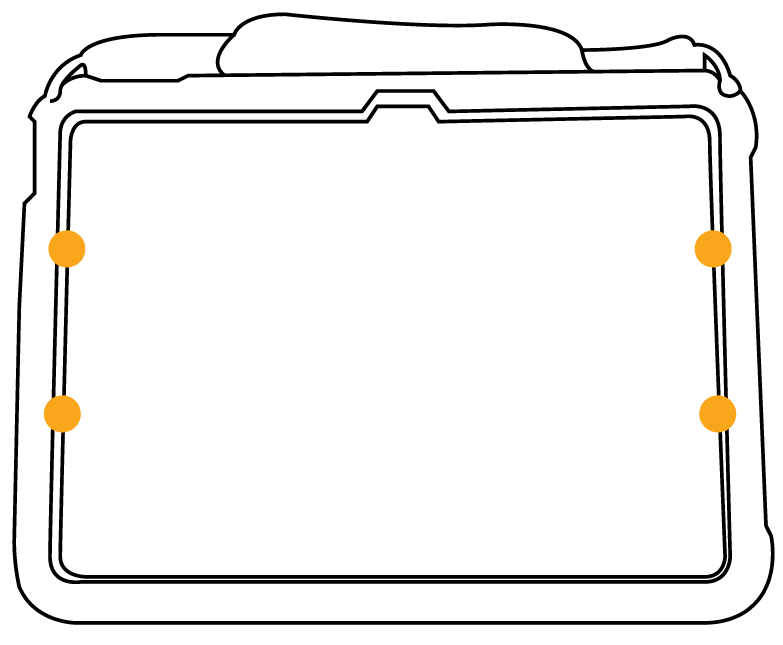
- Hold the keyguard at an angle, then line up the two tabs on one side with the integrated holes on that side of the screen.
- Insert the tabs into the holes on that side.
- Press down firmly on the opposite side of the keyguard until the tabs lock into place.
- Test the edges gently to make sure the keyguard is secure.

Remove Your Keyguard
- Pull up firmly from the center of the keyguard to release both sides at once.
Tips for Daily Use
- Clean your keyguard: Remove the keyguard from your device before cleaning. Wipe it with a soft, damp cloth, then let it dry completely before you reinstall it.
- Check the fit: Every so often, check that your keyguard is fully seated in the mounting holes. If the keyguard feels loose, remove it, then reinstall it using the steps in “Install Your Keyguard.”
- Travel with your device: You can leave the keyguard on while you travel. If you prefer to remove it, store it in a protective sleeve or case to prevent scratches.
Need More Help?
Our support teams are available Monday – Friday, 8 a.m. – 5 p.m. CST.
-
ableCARE Product Support
For technical issues related to QuickTalker Freestyle or assistive technology products.