


QTF Manager is an app on your loved one’s QuickTalker Freestyle that lets you change their speech app, start or renew a speech app subscription, and get help from AbleNet on your own. The first time you open it, you’ll create a code so only approved people can make changes.
Create Your Device Manager Code
- Open the Utilities folder, then tap QTF Manager.
- Tap “Create Device Manager Code”
- Solve the math problem to continue. This keeps users from making changes without help.
- Select which type of profile you would like to create.
- Create a 5-digit Device Manager code.
- Tip: Use a different code than the device passcode so the user can’t make changes on their own.
- Wait for the dashboard to open. You’re all set.
Explore the Dashboard
The dashboard is home base for everything QTF Manager can do.
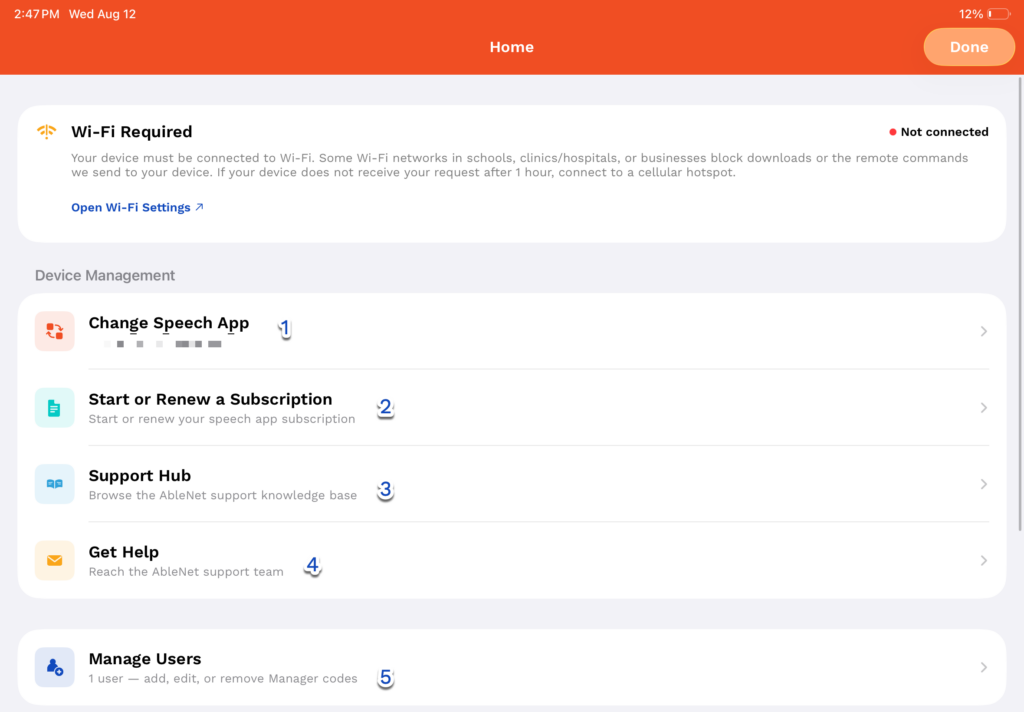
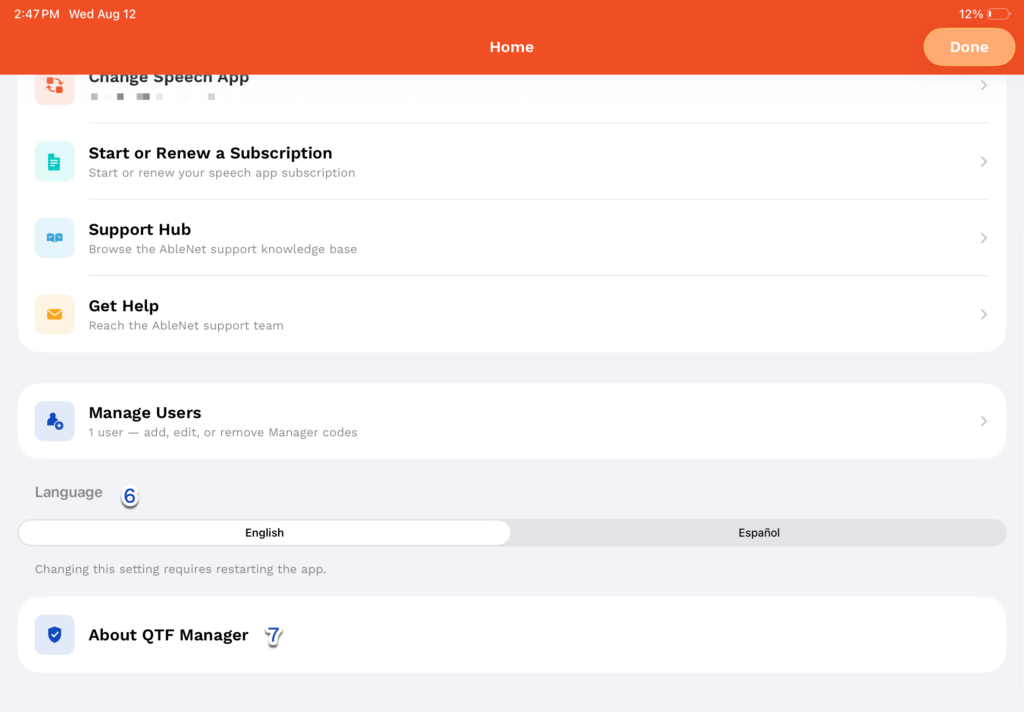
- Tap Change Speech App to add, change, or remove a speech app on the device.
- Tap Start or Renew a Subscription to start or renew a subscription for a speech app that needs one.
- Tap Support Hub to browse AbleNet help articles right from the device.
- Tap Get Help to contact the AbleNet support team.
- Tap Manage Users to add, edit, or remove the people who can use QTF Manager.
- Tap Language to switch the app between English and Español, then restart the app for the change to take effect.
- Tap About QTF Manager to see the app version and the device’s serial number, or to remove QTF Manager from the device.
