
How Do I Erase Messages on a QuickTalker FT?


Summary🔗
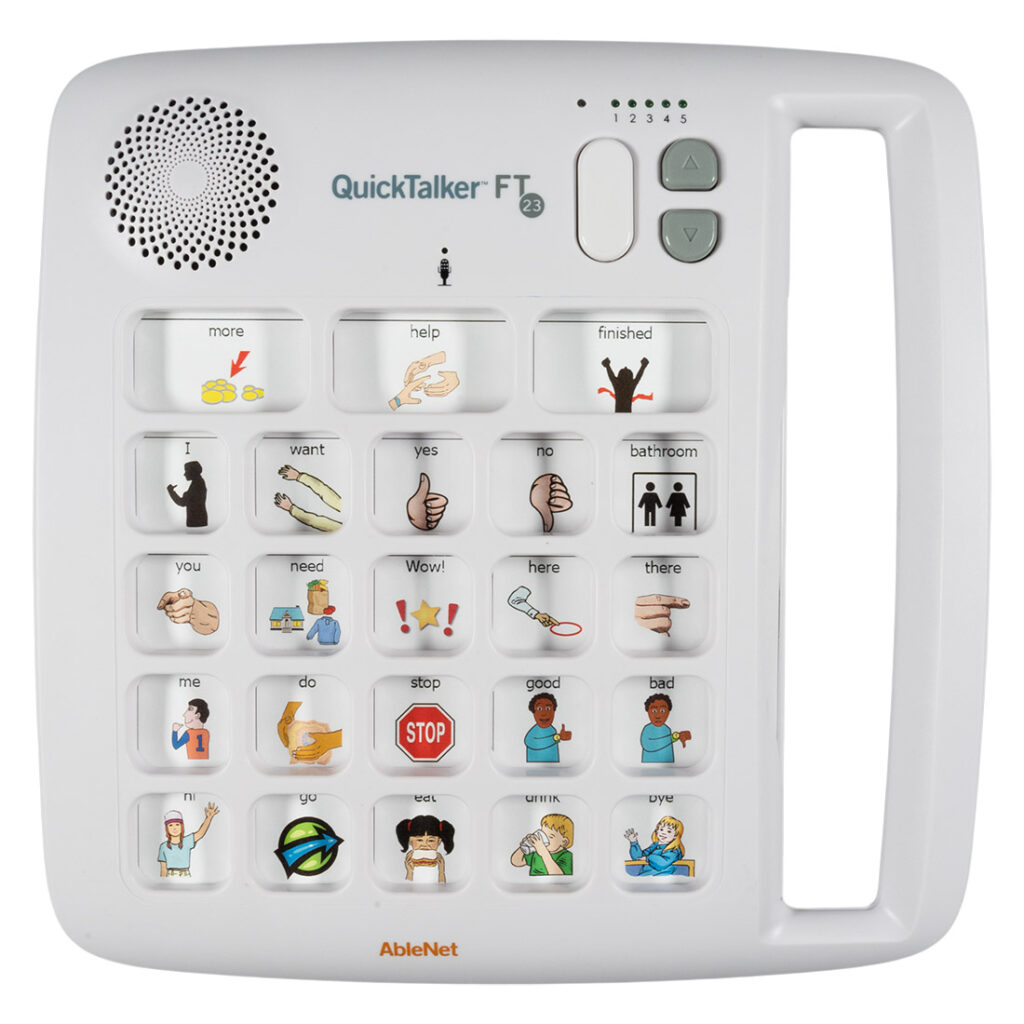
Messages on a QuickTalker FT can either be erased 1 level at a time, or the user can conduct a master clear to reset the device for all new recordings.
Instructions🔗
To erase a single level:
- Navigate to the level you would like to clear by pushing the Level Selection button.
- Press and hold the record button for 10 seconds. You will hear the QuickTalker FT beep.
- Release the record button.
- This will erase the current level Individual Message Locations. The Core Message Locations will remain intact.
To erase all messages:
- Press and hold the record button for 30 seconds.
- You will hear the QuickTalker FT beep after 10 seconds. Continue to hold the record button.
- After 30 seconds, you will hear a second set of beeps.
- Release the record button.
- This will erase all messages on all levels, including the Core Message Locations.
Register and Reach Out🔗
Register your product or get more help from our support teams!
